
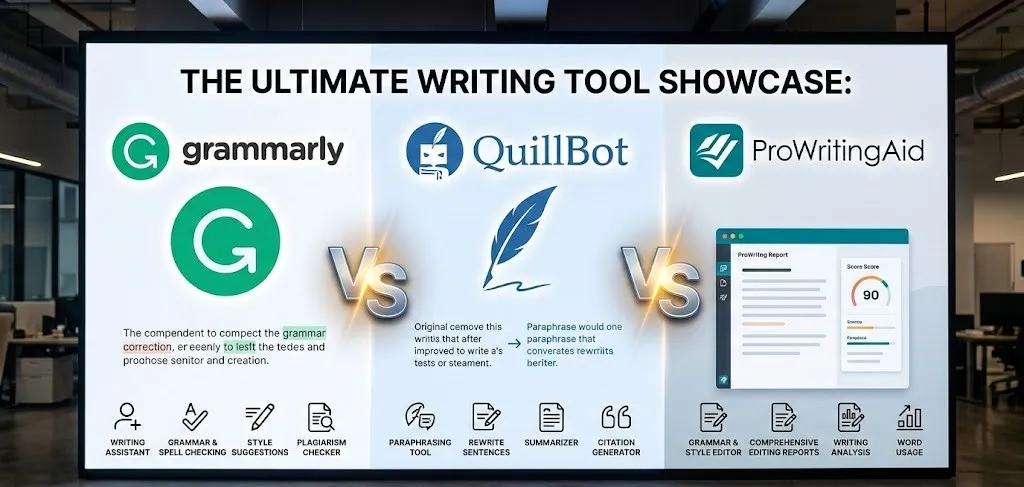
Plenty of writers, students, and professionals rely on tools to catch typos, fix awkward phrasing, and make text clearer and more engaging. While one popular option gets a lot of attention, several strong free platforms step up with reliable features that handle everyday writing needs just as well-or sometimes better-depending on the task. These alternatives cover everything from basic spelling and grammar corrections to deeper style analysis, readability tweaks, and even multilingual support, all accessible without paying upfront.
What stands out most is how these tools have evolved by 2026, integrating smarter AI for real-time suggestions while keeping generous free tiers intact. Whether someone types emails, blog posts, essays, or social media updates, the top platforms provide browser extensions, web editors, or app integrations that feel seamless. Many even go beyond simple fixes by highlighting overused words, passive voice, or sentence complexity, helping text read more naturally and professionally.
1. LanguageTool

LanguageTool catches spelling mistakes, basic punctuation issues, and some style problems right as someone types. The free version underlines errors in red for spelling and simple punctuation, with blue for style things like repeated words or awkward choices. It picks up the language automatically and suggests fixes without much fuss. Privacy gets handled carefully since the browser extension doesn’t keep any texts.
The tool spreads across quite a few spots. Browser extensions cover Chrome, Firefox, Edge, and Safari, plus it plugs into Google Docs, Microsoft Word on different systems, and even LibreOffice. A separate editor lets people write without distractions, track stats on errors and productivity, and switch to dark or light mode. Paraphrasing shows up through AI to tweak sentences for simplicity, formality, or brevity, though fuller access comes with the paid upgrade. Free handles core grammar and spelling, while paid digs deeper into advanced style, picky punctuation, and complete corrections.
Key Highlights:
- Supports many languages beyond English with solid coverage in main ones like German, Spanish, French
- Browser extension works site-wide without storing user texts
- Built-in statistics track writing habits and improvements
- Integrates with office programs like Word and Google Docs
- AI paraphrasing for rewording sentences in different tones
Who It’s Best For:
- Writers handling multiple languages regularly
- People who need quick checks in emails or online forms
- Users focused on privacy during writing
- Students checking academic papers in various languages
- Anyone wanting a distraction-free editor option
Contact Information:
- Website: languagetool.org
- LinkedIn: www.linkedin.com/company/languagetool
- Facebook: www.facebook.com/LanguageTool
- Twitter: x.com/languagetool
- Instagram: www.instagram.com/languagetool
- Google Play: play.google.com/store/apps/details?id=es.optadroid.langtool
2. QuillBot
QuillBot helps reshape writing through AI without taking over the process completely. The paraphrasing tool stands out for rephrasing sentences while keeping the original meaning, and it includes modes to adjust tone or make text sound more natural. Grammar checking fixes basic mistakes, and other bits like summarization condense longer pieces. Free access covers the essentials, though premium unlocks extra modes, unlimited use, and tools like humanizing AI-generated text.
It fits into daily routines easily with a Chrome extension that works across sites. Other tools round things out, such as a plagiarism checker, AI detector, translator, and even a chat for generating ideas. Writers use it for emails, essays, or content where clarity matters without losing personal voice. The setup feels straightforward, especially when someone needs to polish a draft fast or spot if text reads too robotic.
Key Highlights:
- Paraphraser with different modes for fluency or style shifts
- Grammar checker integrated into the platform
- Summarizer for shortening content
- AI detector and plagiarism checker for verification
- Chrome extension for on-the-go use
Who It’s Best For:
- Students rewriting assignments or notes
- Content creators needing quick rephrasing
- Anyone checking if text sounds human-written
- Writers translating short pieces across languages
- People drafting emails who want cleaner versions fast
Contact Information:
- Website: quillbot.com
- Address: 303 East Wacker, Suite 2101, Chicago, IL 60601, United States of America
- LinkedIn: www.linkedin.com/company/quillbot
- Facebook: www.facebook.com/thequillbot
- Twitter: x.com/thequillbot
- Instagram: www.instagram.com/thequillbot
- App Store: apps.apple.com/us/app/quillbot-ai-writing-keyboard/id6463116243
- Google Play: play.google.com/store/apps/details?id=com.quillbot.mobile
3. Hemingway App

Hemingway App strips writing down to make it clearer and punchier. It flags long or complicated sentences in yellow, suggesting splits or cuts, and marks really tangled ones in red where readers might lose the thread. Purple highlights point to fancy words that could swap for simpler ones. Blue covers adverbs, passive voice, or soft phrases that weaken impact. The free online version handles these basics right in the browser.
Clicking a highlight brings up quick fixes or explanations. For tougher issues, the paid Plus version steps in with AI to auto-correct highlights and catch trickier grammar problems marked in green. Tone or style adjustments become possible by selecting text and using built-in AI tools. It suits anyone who ends up with wordy drafts and wants a no-nonsense readability push. The interface stays simple, almost blunt, which fits the goal.
Key Highlights:
- Highlights complex sentences and suggests simplifications
- Marks adverbs and passive voice clearly
- Free web tool for pasting and editing text
- AI in Plus version auto-fixes issues
- Readability focus with visual color coding
Who It’s Best For:
- Writers aiming for concise, direct prose
- Journalists or bloggers cutting fluff
- Anyone whose sentences tend to run long
- People editing first drafts for clarity
Contact Information:
- Website: hemingwayapp.com
- Email: [email protected]
- App Store: apps.apple.com/us/app/english-editor-proofreading/id1530975556
4. ProWritingAid
ProWritingAid digs into writing with detailed reports that cover style, pacing, and sensory details. It spots weak words, repeated phrases, or spots where “show, don’t tell” could strengthen scenes. The free web editor offers some analysis, while paid opens up full reports, chapter critiques, and manuscript overviews. Integration works smoothly in apps like Word, Google Docs, or Scrivener so suggestions appear right where someone writes.
Tools lean toward creative work, with pacing checks to keep readers engaged and sparks to nudge past blocks. Security stays tight with bank-level protection and no use of user text for training. The setup feels thorough without overwhelming casual users. Fiction writers often find the sensory and engagement reports hit the mark when polishing stories.
Key Highlights:
- In-depth reports on style and readability
- Sensory suggestions for vivid writing
- Pacing analysis to maintain reader interest
- Sparks tool for beating writer’s block
- Integrates directly into writing apps
Who It’s Best For:
- Fiction authors working on novels or stories
- Writers needing feedback on entire chapters
- People tracking pacing in longer pieces
- Creative types who get stuck mid-draft
- Anyone wanting detailed style breakdowns
Contact Information:
- Website: prowritingaid.com
- LinkedIn: www.linkedin.com/company/prowritingaid
- Facebook: www.facebook.com/prowritingaid
- Twitter: x.com/prowritingaid
- Instagram: www.instagram.com/prowritingaid.insta
5. Ginger Software

Ginger Software offers a writing assistant that spots spelling, grammar, and style issues in English text. The free version handles basic corrections with context-aware suggestions for full sentences, plus quick rephrasing for wordy parts and synonym options when double-clicking words. It catches mistakes and proposes fixes in one go rather than step-by-step.
The tool works in several places without much setup. Browser extensions run on any site, the desktop app pulls suggestions into various programs, a Word add-in focuses on documents, and mobile apps cover texts or emails away from the computer. Rephrase gives alternative ways to say things with different tones or lengths. Free covers everyday fixes, but premium adds deeper rephrasing variety. The whole thing stays pretty focused on English without much extra flair.
Key Highlights:
- Context-based sentence corrections
- One-click application of multiple fixes
- Rephrase for sentence alternatives
- Synonym suggestions on words
- Works in browsers, desktop apps, Word, and mobile
Who It’s Best For:
- People writing emails or posts who want quick sentence tweaks
- Users needing corrections across different apps and sites
- Anyone fixing wordy drafts on the fly
- Writers sticking to English who like synonym options
Contact Information:
- Website: www.gingersoftware.com
- LinkedIn: www.linkedin.com/company/ginger-software
- Facebook: www.facebook.com/GingerProofreader
- App Store: apps.apple.com/us/app/ginger-writer/id822797943
- Google Play: play.google.com/store/apps/details?id=com.gingersoftware.writer
6. After the Deadline

After the Deadline serves as an open-source language checking server built to handle scale. The project releases its source code under GNU General Public License for anyone to download and run. Developers embed it into apps using available libraries from the related developer page.
Setup involves grabbing the distribution or source, following get-started steps to launch the service, and checking guides for integration. Rule changes or additions require reading the system design paper, installing bootstrap data, and using the modification guide. Citation points back to the original creator and Automattic. It feels geared toward self-hosting or custom builds rather than a ready-to-use web tool. The open nature makes it a bit hands-on compared to plug-and-play options.
Key Highlights:
- Open-source under GPL
- Self-hosted language checking server
- Libraries for embedding in applications
- Guides for rule modification
- Bootstrap data for setup
Who It’s Best For:
- Developers wanting to add grammar checks to their own apps
- People comfortable self-hosting a server
- Those modifying proofreading rules themselves
- Anyone building custom language tools
Contact Information:
- Website: open.afterthedeadline.com
7. Virtual Writing Tutor
Virtual Writing Tutor provides an online spot for checking grammar, improving text, scoring essays, and analyzing vocabulary, mostly aimed at ESL users. Free non-members get unlimited grammar checks up to a low word limit with restricted clicks on other tools, free members bump the word limit higher with daily click caps, and paid unlocks everything without restrictions like saving feedback or extra games. Grammar pulls from a tweaked LanguageTool base plus tons of extra rules tailored to common ESL slip-ups.
The platform handles essay scoring with quick feedback on structure and content, level checks that estimate CEFR, IELTS, or similar proficiency based on vocab and error patterns, and vocabulary breakdowns for academic fit or field relevance. Other bits include paragraph scans, IELTS speaking practice with recording evaluation, and embedding code for sites. Paid opens translation of feedback and upcoming speaking scoring. It leans practical for learners who want structured practice beyond basic fixes.
Key Highlights:
- Grammar check with extra ESL error rules
- Essay scoring and feedback
- Proficiency level estimation
- Vocabulary profiling for academic or field use
- IELTS speaking prep with pronunciation eval
Who It’s Best For:
- ESL students practicing essays or assignments
- Learners checking CEFR or IELTS levels
- Teachers assigning writing with auto-feedback
- People prepping for speaking exams
- Users wanting vocabulary tweaks for specific fields
Contact Information:
- Website: virtualwritingtutor.com
- Facebook: www.facebook.com/Virtualwritingtutor
8. Sapling
Sapling works as a language model toolkit mainly for developers and businesses to add real-time writing suggestions. It sits inside enterprise messaging or workspace tools, offering completions and fixes through an API or SDK. Integrations cover platforms like ServiceNow, Salesforce, Zendesk, and others, with broad editor support.
Security runs on private cloud setup with encryption, PII redaction options, and choices for self-hosted deployment or SSO/MFA. Installation happens fast with minimal code for developers. The focus stays on team or company use rather than solo casual writing. Free trial exists without needing a card upfront. It comes across as more technical and backend-oriented than consumer-facing grammar checkers.
Key Highlights:
- API and SDK for custom integrations
- Real-time suggestions in messaging platforms
- Support for major enterprise tools
- Private cloud with encryption and redaction
- Self-hosted deployment option
Who It’s Best For:
- Developers building writing aids into apps
- Businesses needing team-wide suggestions
- Companies handling secure enterprise comms
- Teams using Salesforce or Zendesk heavily
Contact Information:
- Website: sapling.ai
- Email: [email protected]
- LinkedIn: www.linkedin.com/company/saplingai
- Facebook: www.facebook.com/Sapling-Intelligence-684416121988762
- Twitter: x.com/saplingai
9. HyperWrite

HyperWrite serves as an AI writing assistant that handles tasks like generating text, rewriting, summarizing, and pulling in research with citations. Free access lets people start with basic tools such as AutoWrite for creating content from prompts, summarizer for condensing articles, rewrite for rephrasing while holding meaning, and email responder for quick replies. It includes chat for brainstorming or feedback, plus scholar search that taps real-time web and academic sources for cited info, though fuller unlimited use and advanced options sit behind paid plans.
The extension brings sentence completions and suggestions straight into places like Gmail or Docs. Tools lean toward mixing writing with research, so it handles everything from simplifying complex ideas to crafting speeches or optimizing drafts for clarity. Privacy details stay absent from the main page, but the setup feels geared for quick iterations on drafts or emails without leaving the browser. It comes across as versatile yet a touch scattered if someone just wants plain grammar fixes.
Key Highlights:
- AutoWrite for generating or expanding text
- Summarizer and rewrite tools
- Scholar AI with real-time research and citations
- Email responder and speech writer
- Browser extension for inline suggestions
Who It’s Best For:
- Writers mixing research into their drafts
- People needing quick email replies or summaries
- Anyone generating original content from ideas
- Students pulling cited academic insights fast
Contact Information:
- Website: www.hyperwriteai.com
- Email: [email protected]
- LinkedIn: www.linkedin.com/company/othersideai
- Twitter: x.com/HyperWriteAI
10. SpinBot
SpinBot acts as a free online paraphraser that takes input text and spins it into new versions while aiming to keep things readable and grammatically sound. Users paste content, pick basic or advanced mode, choose longer or shorter output, decide to preserve capitalized words like titles, or ignore specific terms by listing them. The grammar checker sits alongside to tweak clarity and flow on rewritten pieces.
It processes essays, paragraphs, or assignments with a character limit per go, focusing on fresh takes that avoid repetition for blogs or marketing. The interface stays dead simple – no sign-up, just paste and spin. Advanced mode supposedly delivers cleaner results, but it still feels more like a quick rewrite machine than a deep editor. Handy for unsticking writer’s block, though the output can sometimes wander a bit off natural tone.
Key Highlights:
- Automatic paraphrasing in basic or advanced modes
- Options for longer or shorter rewrites
- Ignore list for specific words
- Preserve capitalized terms
- Built-in grammar checker for clarity
Who It’s Best For:
- Bloggers refreshing old posts quickly
- Students rewording paragraphs or essays
- Researchers needing alternative phrasings
- Anyone fighting repetitive content fast
Contact Information:
- Website: spinbot.com
- Facebook: www.facebook.com/spinbotdotcom
- Twitter: x.com/spinbotofficial
- Instagram: www.instagram.com/thespinbot
11. GrammarCheck.net

GrammarCheck.net runs a straightforward online checker for spelling, grammar, and basic style issues. Paste text into the box, hit check, and colorful underlines flag problems with suggestions popping up for fixes. No download or account needed – results show almost right away, and the site promises not to cache any entered text.
It covers everyday questions like preposition placement or comma rules through the tool plus a blog and infographics for deeper looks. The focus stays on catching slip-ups that native speakers still make, helping build cleaner drafts without manual hunting. It lacks fancy AI rewriting but gets the job done for plain proofreading. Somewhat old-school in feel, which suits quick spot-checks.
Key Highlights:
- Underlined suggestions for spelling and grammar
- Style pointers alongside core fixes
- No software installation required
- Text not stored on servers
- Blog and infographics for grammar explanations
Who It’s Best For:
- Students double-checking papers before submission
- Professionals polishing reports or emails
- Anyone brushing up on forgotten rules
- Writers wanting a simple no-frills checker
Contact Information:
- Website: www.grammarcheck.net
12. editGPT
editGPT functions as a Chrome extension that layers editing features onto ChatGPT chats for proofreading and improving text. Once installed, it adds options inside the ChatGPT interface to apply fixes at different depths – from light grammar tweaks to heavier rewrites or academic tone shifts. Custom prompts let users define specific edits, and it supports multiple languages while preserving original formatting.
Track changes show what got altered, with history and percentage views for transparency. Privacy holds since data doesn’t train AI or leave the session. It turns basic ChatGPT into something closer to a dedicated editor for generated or user text. The approach feels clever for folks already in ChatGPT workflows, though it ties everything to that one platform.
Key Highlights:
- Edit levels from grammar fix to full rewrite
- Custom prompt creation for tailored changes
- Track changes and edit history
- Multi-language support
- One-click formatting and tone adjustments
Who It’s Best For:
- ChatGPT users wanting built-in proofreading
- Writers refining AI-generated drafts
- People needing academic or clarity tweaks
- Multilingual users editing across languages
Contact Information:
- Website: editgpt.app
- Email: [email protected]
- Facebook: www.facebook.com/people/Editgpt/61553431048251
- Twitter: x.com/editgpt
- Instagram: www.instagram.com/editgpt
13. PaperRater

PaperRater scans pasted text or uploaded files for grammar, spelling, and proofreading suggestions while running a plagiarism check against a huge database. The free tool delivers a report almost instantly, pointing out errors and offering ways to polish phrasing or structure. It also estimates a grade based on the content.
No sign-up or downloads needed – just drop in the writing and hit go. The AI handles syntax deep dives for quick turnaround. It catches unintentional copying alongside surface fixes. Straightforward for schoolwork, though the grading part sometimes feels a tad arbitrary depending on the prompt.
Key Highlights:
- Grammar and spelling corrections
- Proofreading suggestions
- Plagiarism detection
- Automated scoring estimate
- Instant report delivery
Who It’s Best For:
- Students checking essays before submission
- Anyone wanting a second look at grammar
- Writers screening for accidental plagiarism
- People needing fast feedback without login hassle
Contact Information:
- Website: www.paperrater.com
- Email: [email protected]
- Address: 2261 Market Street #10569, San Francisco, CA 94114
- Facebook: www.facebook.com/PaperRater
- Twitter: x.com/paperrater
14. WhiteSmoke

WhiteSmoke provides writing corrections for spelling, grammar, punctuation, and style, with added plagiarism checking in higher tiers. It integrates into Word, Outlook, browsers, and mobile apps for on-the-go use. Features include document templates, translation across languages, dictionaries, and explanations for errors.
The desktop and mobile versions offer tutorials and text enrichment options. It detects a range of issues beyond basic spell-check. Setup varies by platform, but the core stays consistent. A bit dated in presentation, yet it covers bases for everyday professional or personal writing.
Key Highlights:
- Integrated spelling, grammar, punctuation checks
- Style and plagiarism detection
- Translation and dictionary support
- Document templates included
- Works across Windows, Mac, browsers, mobile
Who It’s Best For:
- Professionals drafting emails or docs in Office
- Mobile users fixing texts on phones
- Writers needing quick translations alongside edits
- Anyone wanting templates for letters or reports
Contact Information:
- Website: www.whitesmoke.com
- Email: [email protected]
- Address: 501 Silverside Rd, Suite 105 Wilmington, DE 19809, USA
- Facebook: www.facebook.com/whitesmokesoftware
- Twitter: x.com/whitesmoke
15. Wordtune
Wordtune suggests rewrites for sentences or paragraphs, letting users pick options that match their style or switch tones like casual to formal. It handles grammar proofreading, phrasing tweaks, and synonym ideas to refine expression. The tool continues drafts if someone gets stuck, and translation makes non-native text sound natural.
Context guides suggestions so they fit the surrounding content. Fact-checking pulls from sources before confirming details. Browser extension brings it into most writing spots. It leans toward rephrasing over strict error hunting, which suits folks who already know the basics but want smoother flow.
Key Highlights:
- Contextual rewrite suggestions
- Tone switching between casual and formal
- Advanced proofreading for grammar and phrasing
- Smart synonym generator
- Translation to sound native-like
Who It’s Best For:
- Writers refining awkward sentences
- Non-native speakers polishing English tone
- Anyone beating writer’s block with continuations
- People needing quick synonym or rephrase options
Contact Information:
- Website: www.wordtune.com
- LinkedIn: www.linkedin.com/showcase/wordtune
- Facebook: www.facebook.com/wordtune
- Twitter: x.com/wordtune
- Instagram: www.instagram.com/wordtune_official
Conclusion
Picking a free alternative to those big-name grammar tools really comes down to what kind of writing you do most often and how much hand-holding you actually want. Some options lean hard into multilingual support and privacy, others obsess over making sentences shorter and punchier, while a few bundle in paraphrasing or plagiarism checks that can save you real headaches. None of them nail every single thing perfectly – that’s just the reality when you’re not paying for the premium bells and whistles – but plenty get close enough that you can ditch the subscription guilt and still end up with cleaner text.
The nice surprise is how capable the free tiers have gotten. You can bounce between a couple of these depending on the day: one for quick email fixes, another when you’re wrestling a longer piece and need deeper style nudges, maybe a third if you’re paranoid about accidental copying. Experiment a bit, see which interface doesn’t make you want to scream, and keep the one (or two) that actually stick in your workflow. At the end of the day, the goal isn’t finding the mythical perfect replacement – it’s finding something that quietly helps you sound sharper without constantly reminding you it’s there. And honestly, a lot of these do exactly that.