
Forget chatbots that just answer questions. OpenClaw flips the script on what an AI assistant can be. It doesn’t just respond – it acts. From clearing your inbox and running scripts to browsing websites and talking across apps, this open-source agent lives on your machine and works like a real teammate. No cloud dependency, no hand-holding. Just a powerful gateway that connects your messages to tools, code, and action.
Let’s break down what OpenClaw really is, why it feels like the first AI worth trusting, and how it’s quietly reshaping the idea of personal automation.
Not Just a Bot: What OpenClaw Is and Actually Does
OpenClaw is a self-hosted AI gateway that connects your messaging apps to intelligent agents that can act on your behalf. It’s open-source, runs locally, and is designed to give you real control over what AI can do, not just what it can say.
If you’ve ever dreamed of messaging your computer and having it do something useful without needing a custom script or a Zapier flow, this is it.
OpenClaw can:
- Read and write local files.
- Interact with the browser and fill out forms.
- Run shell commands and custom scripts.
- Remember your past conversations.
- Operate across apps like WhatsApp, Telegram, Slack, and Discord.
- Switch between agents and tools depending on the task.
In short, it behaves less like an app and more like a personal operating system with AI at the core.
How It Works Under the Hood
OpenClaw isn’t hosted somewhere in the cloud or tied to a specific vendor. You install it on your own device, and it becomes the “gateway” between your communication channels and your AI agents. That setup gives you three big things: privacy, control, and extensibility.
Here’s the basic flow. You install OpenClaw via CLI (command-line interface). It connects to messaging platforms like WhatsApp or Discord. You link it with your preferred AI model (Claude, GPT, or others). It listens for messages and interprets them using your AI model. Based on your message, it routes the task to the right plugin or skill.
That “plugin or skill” is where the magic happens. You can add plugins from the community or write your own. One plugin might let it send an email. Another could run a test suite. Another might interact with your Notion database or scrape a website.
And once those skills are in place, you don’t have to invoke them with weird commands. Just ask like a human.
What Makes It Different From Other AI Assistants
There are dozens of AI tools that call themselves assistants, but most are just chatbots with fancy UIs. OpenClaw doesn’t pretend to be helpful. It actually does the work. And it does it your way, not the platform’s way.
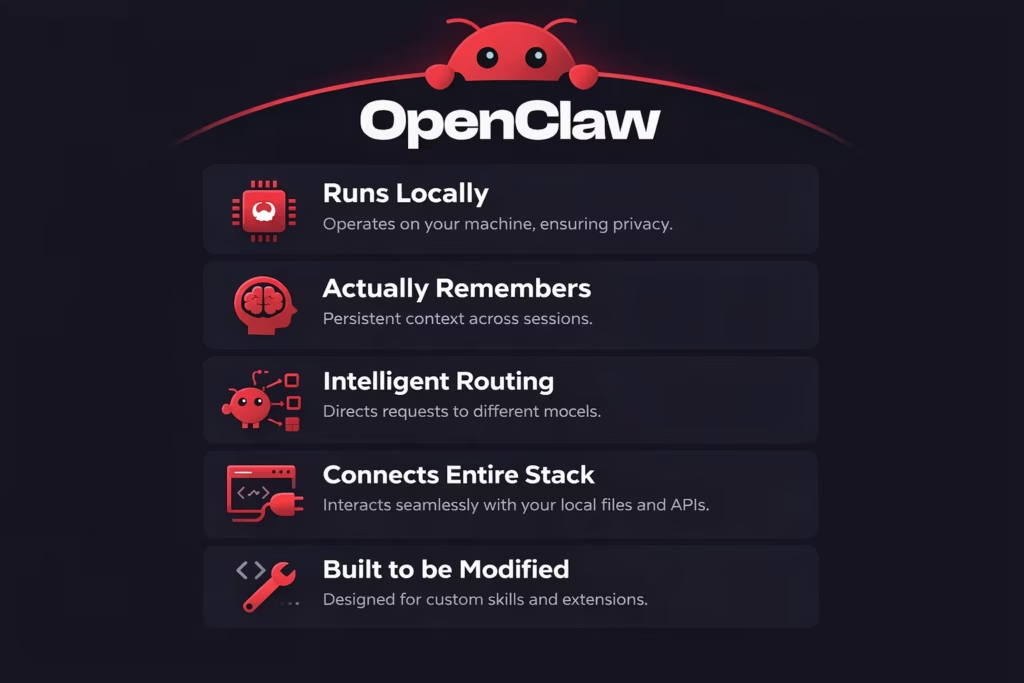
It Runs Locally
OpenClaw lives on your machine, not inside someone else’s infrastructure. That changes the dynamic completely. There’s no forced cloud dependency and no black box sitting between you and your data. You decide where it runs, how it connects, and what it can access.
That level of ownership matters. Especially if you care about privacy, performance, or simply not being locked into a hosted service that might change the rules tomorrow.
It Actually Remembers
Most AI tools reset the moment you close the tab. OpenClaw doesn’t. It keeps context across sessions, channels, and ongoing tasks. That means you can refer back to something you discussed yesterday and it will still know what you mean.
This persistent memory makes multi-step workflows feel natural instead of fragmented. You’re not re-explaining yourself every time.
It Routes Tasks Intelligently
Not every request needs the same brain or the same tool. OpenClaw can route different types of work to different agents or skills. One model might handle writing. Another might execute code. A specific plugin might trigger a script or fetch data.
You don’t have to micromanage that every time. The system can decide where the task should go, which keeps things efficient and surprisingly smooth.
It Connects Your Entire Stack
OpenClaw is not isolated inside a single interface. It can interact with local files, run shell commands, talk to APIs, and respond inside messaging apps. Instead of jumping between tools, you can coordinate everything from one conversational layer.
That’s where it starts to feel less like a chatbot and more like an operating layer sitting quietly underneath your daily workflow.
It’s Built to Be Modified
If something doesn’t exist yet, you can build it. OpenClaw supports custom skills and extensions, and in many cases, you can even create them through conversation. That flexibility is intentional.
You’re not stuck waiting for a feature update. You can extend it yourself. And that small shift from user to builder is what makes OpenClaw feel fundamentally different from most AI tools today.
Most importantly, it’s built for people who want to tinker, explore, and push AI into actual workflows, not just talk to it.
Not for Coders Only: Who Can Actually Use It
Even though OpenClaw is developer-focused, it’s not just for hardcore programmers. If you’re the kind of person who prefers building things your own way and doesn’t mind a bit of setup, you’ll probably feel right at home.
Here’s who tends to get the most out of OpenClaw:
- Engineers and solo developers who want an assistant that doesn’t live in a browser tab.
- Startup founders who need task automation without hiring a full team.
- Power users looking to replace basic workflows or scripts with conversational commands.
- Privacy-conscious individuals who want AI without giving up control of their data.
- Experimenters exploring the boundaries of what AI agents can actually do.
It’s not a plug-and-play solution, and that’s by design. You trade a bit of upfront setup for a lot more flexibility and power in the long run.
What OpenClaw Can Do Today
OpenClaw isn’t a wishlist product. It already works and does real things people rely on every day. Some users are using it to manage coding tasks. Others are running teams or even whole companies with it in the background.
Real-world examples:
- Setting up cron jobs and background tasks through WhatsApp.
- Connecting to smart devices and running home automation workflows.
- Triggering code deployments, tests, or backups.
- Scraping sites and summarizing data into daily digests.
- Acting as a 24/7 digital teammate across Slack and Discord.
- Monitoring your systems and sending alerts when something goes wrong.
- Handling admin tasks like unsubscribing from emails, fetching invoices, or even replying to support tickets.
You’re not just talking to it. You’re working with it.
Inside the Architecture: A Closer Look
At its core, OpenClaw is designed around flexibility. That’s why its components are modular. You can swap in different models, plug in different tools, and manage all of it from a browser-based dashboard or right from your phone.
Key components include:
Gateway: The Central Brain
The gateway is the core of OpenClaw. It’s the process that connects everything together – your models, your messaging apps, your plugins. It handles session routing, communication flow, and acts as the single source of truth for how your assistant operates. Without it, nothing else moves.
Agents: The Brains Behind the Scenes
Agents are the AI models you plug into OpenClaw. These can be Claude, GPT, or whatever language model you prefer to handle interpretation and response generation. You can run one or multiple, switching between them based on the task at hand.
Channels: Where You Talk to It
OpenClaw works across multiple communication platforms at once. You can message your AI via WhatsApp, Telegram, Discord, or others, and it will respond accordingly. You don’t need to stick to one app, conversations stay in sync across them.
Skills: What It Can Actually Do
Skills are like modular abilities you can plug into OpenClaw. One might let it run shell commands. Another might fetch emails, or interact with APIs. You can install skills made by others or create your own, even mid-conversation. That’s where things really start to open up.
Memory: It Doesn’t Forget
Unlike most AI tools, OpenClaw keeps context between interactions. That means it remembers what you talked about yesterday or what you asked it to do five conversations ago. This persistent memory helps with long-running workflows and makes the assistant feel more grounded and useful over time.
Web UI: Visual Control When You Need It
While most of the setup and interaction happens through CLI and chat, OpenClaw includes a web-based control panel. From there, you can configure settings, manage sessions, pair devices, and monitor what’s happening under the hood. It’s optional, but incredibly useful once you’re up and running.
Why Developers Are Building Around It
OpenClaw isn’t just a tool. It’s turning into an ecosystem.
There’s a growing community building plugins, writing onboarding guides, and showcasing how they’ve wired OpenClaw into their daily tools. Some treat it like a personal second brain. Others use it as the backbone of multi-agent AI networks.
People are cloning their OpenClaw agents, routing different models for different workflows, or wiring it into Raspberry Pi setups for physical automation.
The openness of the system means you can build on top of it like infrastructure, not just use it like a product.
Common Use Cases by Domain
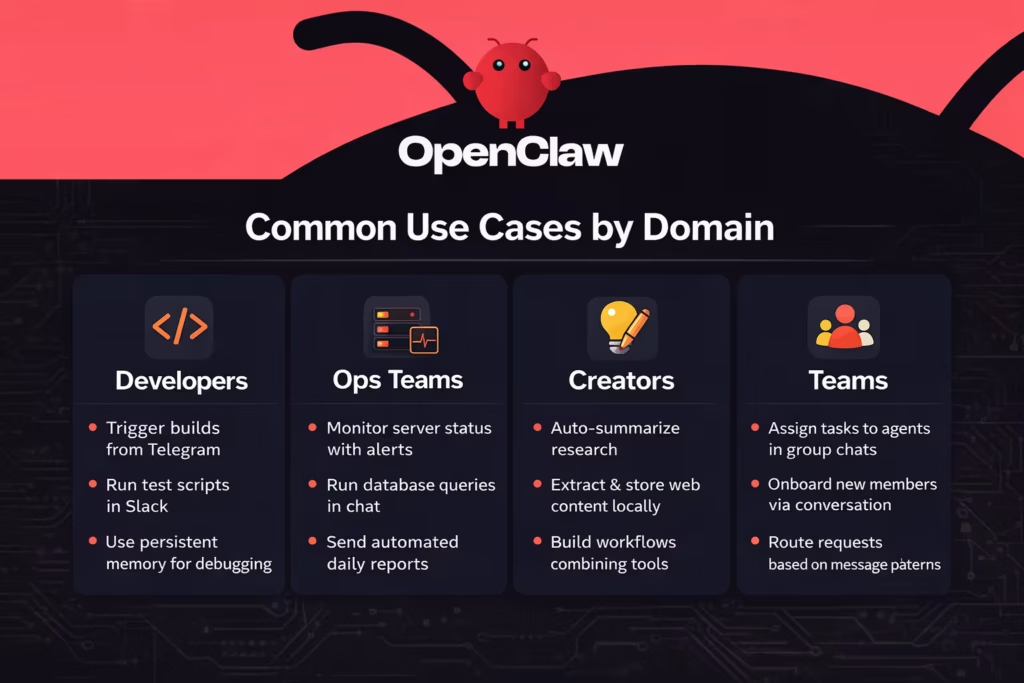
Here’s how people across different fields are putting OpenClaw to use:
For Developers:
- Trigger builds and deploys from Telegram.
- Run test scripts and log the results in Slack.
- Use persistent memory for debugging context.
For Ops Teams:
- Monitor server status with real-time alerts.
- Run database queries and get summaries in chat.
- Send daily reports across tools automatically.
For Creators:
- Auto-summarize research.
- Extract content from web sources and store it locally.
- Build workflows that combine Claude, email, and files.
For Teams:
- Use group chats to assign tasks to agents.
- Onboard new members with conversational instructions.
- Route requests to different bots based on message patterns.
Why It Matters Right Now
A lot of people are stuck between AI tools that are too simple to be useful and automation platforms that are too clunky to set up. OpenClaw fills that middle space with something that’s powerful, personal, and doesn’t require a subscription or vendor lock-in.
It’s also part of a bigger shift. We’re starting to see tools that don’t just generate content, but operate in real environments. That’s the difference between a chatbot and an agent.
OpenClaw is one of the first public tools to really lean into that idea.
Final Thoughts
OpenClaw isn’t trying to look pretty or appeal to everyone. It’s not a slick productivity app. It’s a self-hosted assistant that you can talk to across apps, wire into your tools, and trust with real tasks.
Yes, it takes some work to set up. Yes, it expects you to be a bit hands-on. But what you get in return is something rare: an AI that actually lives with you, works like you, and doesn’t ask for permission to be useful.
If you’ve ever wanted an AI that feels more like a collaborator than a chatbot, this might be your moment.
FAQ
Yes, and the difference is pretty fundamental. ChatGPT or Claude live in a browser tab. You ask a question, they answer. OpenClaw runs on your machine and can actually execute tasks. It can access files, run scripts, connect to messaging apps, and maintain long-term context. It’s less of a chat tool and more of an AI layer sitting on top of your system.
You don’t have to be a senior engineer, but you do need to be comfortable with a bit of technical setup. Installation happens through the command line, and configuration lives in a file. There’s no drag-and-drop interface guiding you through everything.
It runs locally on your machine or on a server you control. That’s one of its core principles. Your data, sessions, and configuration stay within your environment unless you explicitly connect it to external services.
Yes. One gateway can connect to WhatsApp, Telegram, Discord, Slack, and other supported channels simultaneously. You can message your assistant from different platforms and still keep the same memory and session context.
Skills are modular extensions that define what your assistant can do. Think of them as capabilities you can plug in or build yourself. One skill might allow it to interact with an API. Another might automate a reporting workflow. Another might scrape data and summarize it. The interesting part is that OpenClaw can even help create new skills through conversation.
Security depends largely on how you configure it. Because it runs locally, you control access rules, allowed senders, and group behavior. You can restrict who can trigger actions and how those actions are handled. It’s not “secure by magic.” It’s secure because you define the boundaries. That level of control is a feature, but it also means you should take configuration seriously.
If you’re looking for a polished app that works out of the box with zero setup, OpenClaw may feel overwhelming. It’s not designed as a one-click productivity assistant. It’s closer to infrastructure than software. But if you enjoy building systems that work the way you think, and you like the idea of messaging your own AI that lives on your machine, it might be exactly what you’ve been waiting for.