
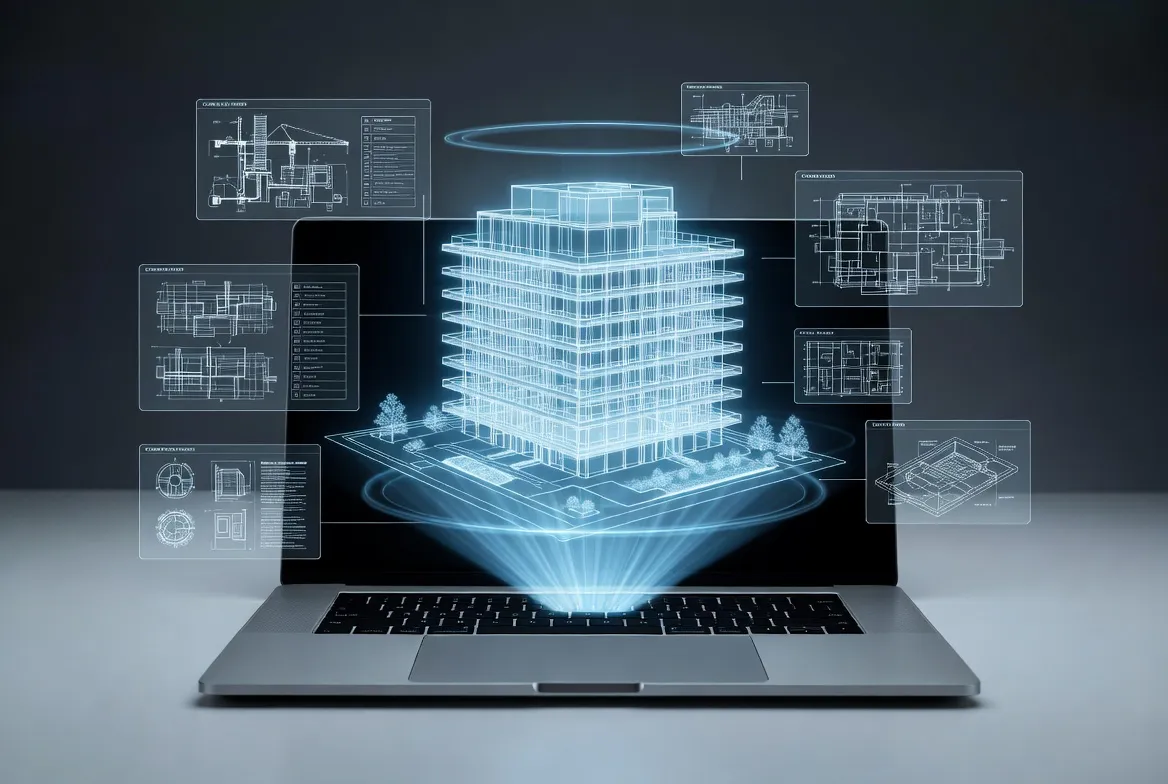
Quick Summary: As-built documentation is a comprehensive set of drawings and documents that accurately capture how a construction project was actually built, including all changes, modifications, and deviations from the original design plans. This final record serves as an essential reference for facility management, future renovations, compliance verification, and project handover.
Every construction project undergoes changes during the building process. Materials get substituted. Systems get rerouted. Field conditions force design adjustments. And when the dust settles, the original construction drawings no longer match reality.
That’s where as-built documentation comes in.
As-built documentation captures the truth of what was actually constructed—not what was initially planned, but what now exists. For architects, engineers, contractors, facility managers, and building owners, these records become the definitive reference for everything that follows: maintenance, renovations, compliance verification, and future modifications.
Understanding As-Built Documentation
As-built documentation—also called record drawings or redline drawings—represents the final set of construction documents that reflect the actual completed state of a building or infrastructure project. These documents incorporate all modifications, substitutions, field changes, and deviations that occurred during construction.
The term “as-built” literally means “as it was built.” While original construction drawings show design intent, as-built drawings document construction reality.
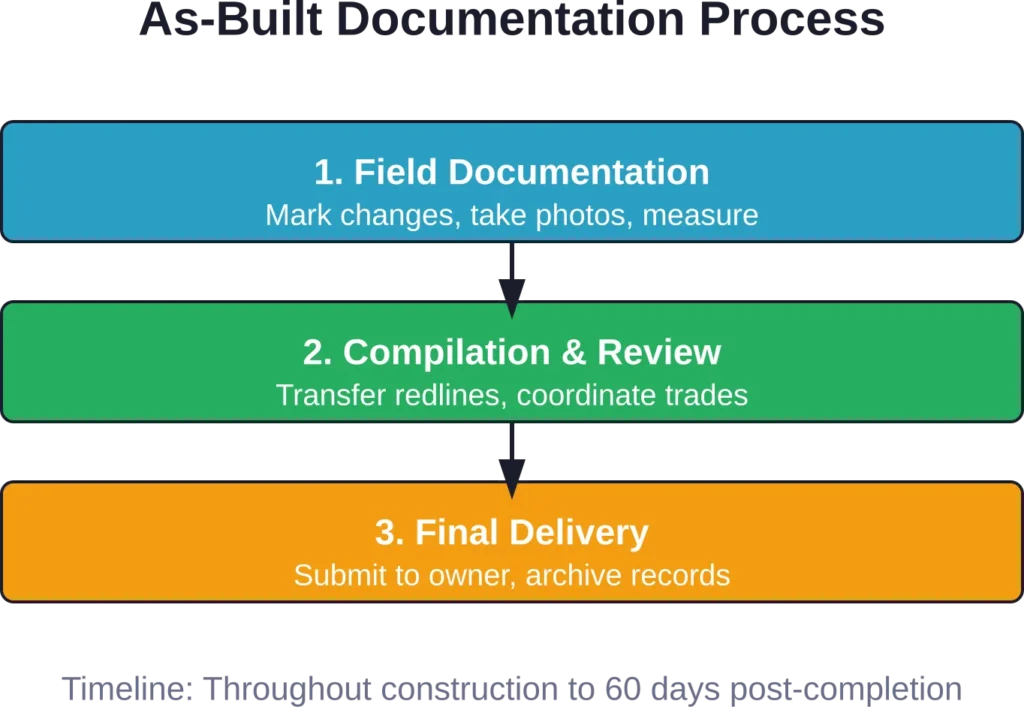
During construction, contractors typically mark up a set of drawings with red pencil or red ink to note changes as they happen. These field markups get compiled, reviewed, and transferred into clean, professional drawings that form the final as-built documentation package.
What As-Built Documentation Includes
A complete as-built documentation package captures multiple aspects of the finished project:
- Architectural drawings showing actual wall locations, door and window placements, finish materials, and spatial arrangements
- Structural drawings documenting foundation depths, beam sizes, column locations, and load-bearing modifications
- Mechanical, electrical, and plumbing (MEP) systems with exact routing, equipment specifications, and connection details
- Site plans showing utilities, drainage systems, landscaping, and subsurface installations
- Product data sheets, material specifications, and equipment manuals
- Photographs documenting critical construction phases and concealed conditions
According to Los Angeles Municipal Code requirements, as-built plans for subsurface installations must be submitted within 60 days after completion. For such installations, drawings must be prepared at a scale of not more than 200 feet to the inch, and electronic submissions must use 24″ x 36″ sheet sizes with file sizes not exceeding 70 MB in PDF format.
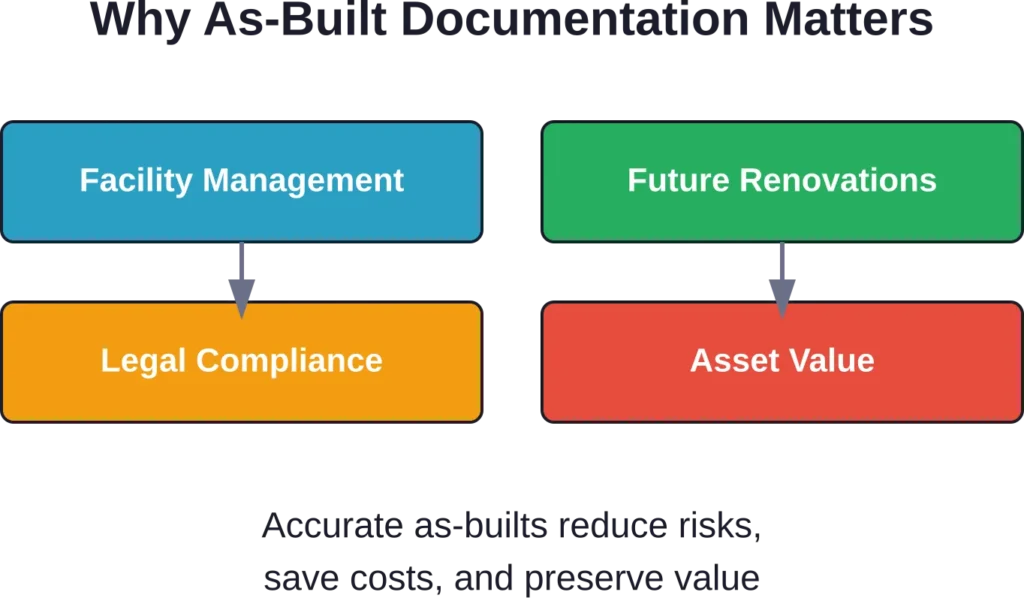
Why As-Built Documentation Matters
The value of accurate as-built documentation extends far beyond project closeout. Here’s why construction professionals consider it essential.
Facility Management and Maintenance
Building operators rely on as-built drawings to locate systems, understand equipment specifications, and plan maintenance activities. When an HVAC unit fails at 2 AM, facility managers need accurate documentation showing exactly where shut-off valves are located and how systems interconnect.
Without reliable as-builts, maintenance teams waste time searching for components, risk damaging concealed systems, and struggle to order correct replacement parts.
Future Renovations and Expansions
Architects and engineers designing building modifications need accurate baseline information. As-built documentation provides that foundation, showing actual conditions rather than original design assumptions.
Renovation projects based on outdated or inaccurate drawings frequently encounter unexpected conditions that trigger costly change orders and schedule delays. Accurate as-builts minimize these surprises.
Compliance and Legal Requirements
Many jurisdictions require as-built documentation for permit closure and occupancy certificates. The City of Los Angeles, for example, mandates that as-built plans be saved with original plans, and all conditions must be documented and incorporated into the City’s Substructure Maps.
As-built documentation also serves as legal evidence of what was actually constructed, which becomes critical during warranty claims, insurance disputes, or litigation.
Asset Management and Property Value
Complete, accurate as-built documentation enhances property value. Prospective buyers, investors, and lenders view comprehensive building records as a sign of professional management and reduced risk.
For large facilities and infrastructure portfolios, as-built documentation enables strategic asset management decisions based on actual installed systems and remaining service life.
As-Built vs. Design Drawings: Key Differences
Understanding the distinction between design drawings and as-built documentation clarifies why both are necessary but serve different purposes.
| Aspect | Design Drawings | As-Built Drawings |
|---|---|---|
| Purpose | Show design intent and specifications | Document actual constructed conditions |
| Timing | Created before construction begins | Finalized after project completion |
| Changes | Static once approved for construction | Incorporate all field modifications |
| Accuracy | Based on design calculations and code requirements | Based on field measurements and actual installations |
| Use Cases | Permitting, bidding, construction guidance | Facility management, renovations, compliance verification |
Design drawings represent the architect’s and engineer’s vision—what should be built according to specifications, codes, and project requirements. Construction documents may not be 100 percent complete when sent out for bid, with this noted on the drawing set.
As-built documentation, by contrast, represents reality. It captures the compromises, solutions, and adaptations that occurred when design met field conditions.
Creating Accurate As-Built Documentation
The process of developing comprehensive as-built documentation requires systematic tracking throughout the construction phase and careful compilation at project completion.
The Traditional Redline Process
Historically, contractors maintained a set of construction drawings on-site and marked changes in red pencil as work progressed. This redline set accumulated notations about:
- Dimensions that differ from design drawings
- Material substitutions or manufacturer changes
- Equipment model numbers and specifications
- Routing changes for mechanical, electrical, or plumbing systems
- Structural modifications approved through RFIs or change orders
Near project completion, these marked-up drawings went to a drafting team who transferred the redline information into clean, professional drawings—the final as-built set.
Modern Digital Approaches
Contemporary construction increasingly uses digital tools to capture as-built information more efficiently and accurately.
Building Information Modeling (BIM) enables real-time updates to the digital model as changes occur. Rather than marking up 2D drawings, project teams modify the 3D model to reflect actual conditions. Recent buildingSMART initiatives focus on geometrical verification of as-built BIM models through deviation analysis. The BIM-SPEED project aims to reduce the time of deep renovation projects by 30% through improved model checks and accurate as-built capture.
Laser scanning technology captures precise spatial data of completed construction. Point cloud data provides measurements accurate to millimeters, creating a verifiable record of actual conditions that can be used to generate as-built drawings or verify model accuracy.
Mobile documentation apps allow field teams to photograph conditions, tag locations, and add notes directly to digital drawings. This streamlines information flow and reduces the risk of lost or illegible field notes.
Best Practices for As-Built Creation
Several practices improve as-built accuracy and completeness:
Document changes immediately. The longer the delay between construction and documentation, the greater the risk of forgotten details or inaccurate records.
Photograph everything before it gets covered. Once systems are concealed behind walls, ceilings, or underground, visual documentation becomes the only record of exact configurations.
Verify critical dimensions. Don’t assume field measurements match design drawings. Measure and confirm actual conditions, especially for systems where precise locations matter.
Include product data. Capture manufacturer names, model numbers, and specifications for installed equipment and materials. This information proves invaluable for future maintenance and replacement.
Review and coordinate across trades. Mechanical, electrical, plumbing, and structural as-builts must coordinate with each other and with architectural drawings. Conflicts and overlaps should be resolved before final submission.
Get Accurate As-Built Documentation for Project Handover

As-built documentation helps teams verify installed conditions and maintain reliable project records after construction. Powerkh supports as-built workflows with BIM updates, site verification, and existing conditions modelling.
Need As-Built Documentation Support?
Talk with Powerkh to:
- prepare verified as-built models and drawings
- compare installed work against design information
- identify undocumented site changes
- support smoother project handover workflows
Discuss as-built verification and handover support with Powerkh.
Common Challenges and Solutions
Despite the recognized importance of as-built documentation, several challenges frequently arise during creation and maintenance.
Incomplete or Inaccurate Records
The most common problem? As-built documentation that doesn’t actually reflect built conditions. This happens when contractors fail to document changes consistently, when field notes get lost, or when compilation occurs long after construction with faded memories.
Solution: Establish documentation requirements in construction contracts with clear deliverable standards. Make as-built accuracy a condition of final payment. Implement regular reviews during construction rather than waiting until project end.
Lack of Standardization
Different contractors use different methods, formats, and levels of detail. This inconsistency makes as-builts difficult to use and compare across projects.
Solution: Develop organizational standards for as-built documentation format, required content, and submission procedures. Reference industry standards like those published by the Design-Build Institute of America or buildingSMART’s openBIM standards for digital documentation.
Technology Integration Difficulties
While digital tools promise efficiency, integration challenges persist. Point cloud data needs skilled interpretation. BIM models require software expertise. Legacy projects lack digital baselines.
Solution: Invest in training and standardized software platforms. For projects mixing traditional and digital documentation, establish clear protocols for how different data types integrate into the final as-built package.
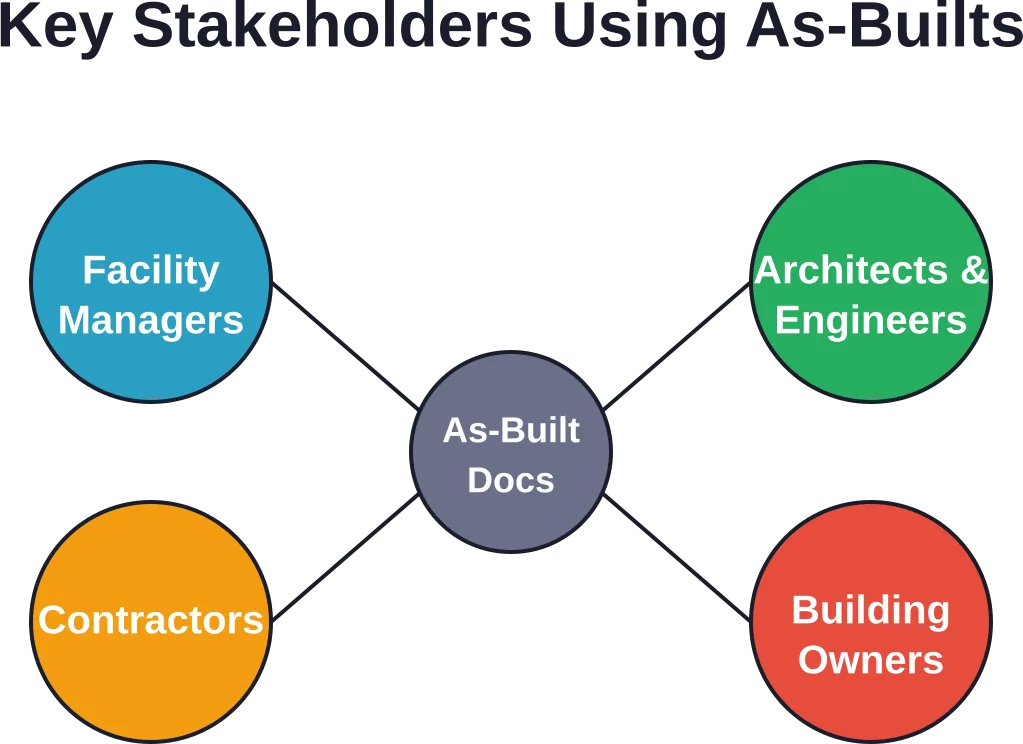
Who Uses As-Built Documentation?
Multiple stakeholders rely on as-built documentation throughout a building’s lifecycle:
Facility managers and maintenance teams use as-builts daily to locate systems, troubleshoot problems, plan preventive maintenance, and manage service contracts.
Architects and engineers reference as-builts when designing renovations, expansions, or system upgrades. Accurate baseline documentation reduces design risk and improves cost estimating.
Contractors and subcontractors performing renovation work need as-builts to understand existing conditions, coordinate new work with existing systems, and avoid damaging concealed infrastructure.
Building owners and asset managers rely on as-builts for strategic planning, property transactions, insurance documentation, and demonstrating regulatory compliance.
Emergency responders may reference as-built documentation during fire, hazmat, or rescue operations to understand building layouts and system locations.
As-Built Documentation Standards and Requirements
While specific requirements vary by jurisdiction and project type, certain standards commonly apply.
Municipal and Government Requirements
Many municipalities require as-built submissions for permit closure, particularly for public infrastructure and subsurface installations. Los Angeles, for instance, requires electronic as-built plans meeting specific technical standards: 24″ x 36″ sheet size, maximum 70 MB PDF file size, and submission within 60 days of completion for subsurface installations.
Federal projects may have additional requirements through agencies like the General Services Administration or Department of Defense, often requiring conforming drawings that incorporate bid clarifications issued as addendums.
Industry Standards
Professional organizations provide guidance on as-built documentation practices:
The American Institute of Architects (AIA) addresses as-built documentation within standard contract documents, defining it as part of the architect’s instruments of service and establishing deliverable expectations.
The Design-Build Institute of America publishes best practices for documentation in design-build project delivery, emphasizing the importance of accurate record documentation for reduced risk and improved project outcomes.
BuildingSMART International develops standards for digital as-built documentation through Industry Foundation Classes (IFC) and openBIM processes, enabling interoperable digital records across software platforms.
Frequently Asked Questions
These terms are often used interchangeably, though some professionals make subtle distinctions. As-built drawings typically refer to the contractor’s marked-up drawings showing changes made during construction. Record drawings are the finalized, professionally drafted documents that incorporate all as-built information into a clean set. In practice, most construction professionals use both terms to mean the same thing: final documentation reflecting actual built conditions.
Typically, the general contractor has contractual responsibility for providing as-built documentation to the owner. However, specific trades and subcontractors usually create as-builts for their scope of work (mechanical, electrical, plumbing, etc.), which the general contractor then compiles into a complete package. The architect may review as-builts for accuracy and completeness before owner acceptance. Clear contract language defining responsibilities and standards is essential.
Timeline varies by project size and complexity. Field documentation should occur throughout construction as changes happen. Final compilation and drafting typically takes 30-90 days after construction completion. Many jurisdictions, including Los Angeles for subsurface installations, require submission within 60 days of project completion. Digital tools and BIM workflows can significantly reduce compilation time since model updates occur in real-time rather than requiring post-construction drafting.
Requirements vary by jurisdiction and project type. Many municipalities require as-built submissions for permit closure, particularly for public infrastructure, utilities, and subsurface work. Private projects may not have legal requirements, but lenders, insurers, or building codes may effectively mandate them. Even when not legally required, as-built documentation represents industry best practice and provides significant value for facility management and future construction.
Yes, though it’s more difficult and expensive. Retroactive as-built creation typically involves site surveys, exploratory investigations to locate concealed systems, review of project records and photos, and interviews with construction team members if available. Laser scanning and ground-penetrating radar can help locate infrastructure. However, retroactive as-builts are never as accurate or complete as documentation created during construction when all conditions are visible and construction team knowledge is available.
Format depends on owner requirements, jurisdiction standards, and how documentation will be used. Traditional formats include paper drawings or PDFs. Many projects now require digital CAD files (DWG or DXF format) or BIM models (IFC format for interoperability). Government projects often have specific technical requirements—Los Angeles, for example, requires 24″ x 36″ sheets and maximum 70 MB PDF files. Best practice is to provide multiple formats to support different use cases: PDFs for viewing and printing, CAD files for future design work, and BIM models for facility management systems.
Cost varies widely based on project size, complexity, and documentation method. As a general guideline, as-built documentation typically adds 0.5-2% to total project cost for traditional redline methods. Laser scanning and advanced BIM documentation may cost more upfront but can reduce overall expenses through improved accuracy and efficiency. Many owners consider this a minimal investment given the long-term value for facility management and future construction. The cost of not having accurate as-builts—measured in wasted maintenance time, renovation delays, and damaged systems—often exceeds the cost of creating proper documentation.
Moving Forward with As-Built Documentation
As construction technology evolves, as-built documentation methods continue to advance. Digital twins, augmented reality, and AI-powered documentation tools promise even greater accuracy and accessibility.
But regardless of technology, the fundamental principle remains unchanged: accurate documentation of actual built conditions provides essential value throughout a building’s lifecycle.
For construction professionals, the message is clear. Treat as-built documentation as a project deliverable equal in importance to the physical construction itself. Establish clear standards, allocate sufficient time and resources, and implement quality control processes.
For building owners and facility managers, demand comprehensive as-built documentation as a condition of project acceptance. The investment pays dividends in reduced maintenance costs, smoother renovations, and enhanced asset value.
As-built documentation isn’t glamorous. It doesn’t win design awards. But it represents the difference between a building that can be efficiently managed and maintained versus one that becomes a constant source of frustration and unexpected expenses.
The question isn’t whether as-built documentation is worth creating. It’s whether you can afford not to.