

Quick Summary: Amazon provides sellers with a comprehensive suite of internal tools including Seller Central, Brand Registry, FBA Inventory management, A+ Content Manager, and advertising platforms. These tools help sellers manage operations, protect brands, optimize listings, handle inventory, and grow sales directly through Amazon’s ecosystem without third-party software.
Running an Amazon business means juggling dozens of tasks every single day. And here’s the thing — before you rush out to buy expensive third-party software, Amazon already gives you a powerful arsenal of internal tools built right into the platform.
Most sellers don’t realize how much they can accomplish with Amazon’s native tools. They’re free with your seller account. They integrate seamlessly. And they’re updated constantly to match Amazon’s latest policies and features.
But which tools actually matter? Let’s cut through the noise.
Try This Powerful Add-On: WisePPC for Smarter Amazon Ads

Managing advertising campaigns natively within Amazon can be complex, often requiring manual adjustments that pull time away from core business growth. WisePPC centralizes campaign management and analytics to improve efficiency. It provides tools to help sellers maintain control over their ad spend and performance, including:
- Extended Data Storage: Access advertising data and historical trends beyond Amazon’s standard retention period.
- Bulk Operations: Edit budgets, bids, and campaign settings for multiple items in a single action.
- Granular Performance Metrics: Monitor campaign effectiveness with multi-metric charts and detailed placement analysis.
- Automated Insights: Identify trends and underperforming targets through automated data highlighting.
You can improve your ad efficiency and gain deeper insights into your campaign performance by creating a free account at WisePPC.
Amazon Seller Central: Your Command Center

Seller Central is the foundation of everything you do on Amazon. This is where you manage inventory, process orders, handle customer service, and monitor performance metrics.
Think of it as mission control for your entire operation. Every seller gets access the moment they register, and it’s where you’ll spend most of your time.
Core Functions Inside Seller Central
The dashboard gives you real-time visibility into sales, traffic, conversion rates, and account health. You can drill down into individual product performance or zoom out to see category-level trends.
Order management happens here too. Process shipments, print labels, handle returns, and communicate with buyers all from one interface. The messaging system keeps everything documented and helps maintain your response time metrics.
Performance notifications appear prominently when Amazon detects issues. Late shipments, policy violations, or customer complaints trigger alerts that require immediate attention. Ignoring these can tank your account health score fast.
Catalog Management Tools
Adding products, updating listings, and managing variations all flow through Seller Central. The bulk upload tools let you handle hundreds of SKUs at once using spreadsheet templates.
Product detail pages can be edited directly when you’re the brand owner or have proper authorization. Title, bullet points, description, images, and backend search terms all live here.
The inventory management section tracks stock levels across all fulfillment methods. Low stock warnings help prevent running out during peak demand periods.
Amazon Brand Registry: Protection and Control

Brand Registry isn’t just a nice-to-have anymore. For anyone selling their own branded products, this tool provides critical protection and unlocks premium features.
You’ll need an active registered trademark to enroll. Once approved, you gain powerful controls over your brand’s presence on Amazon.
What Brand Registry Unlocks
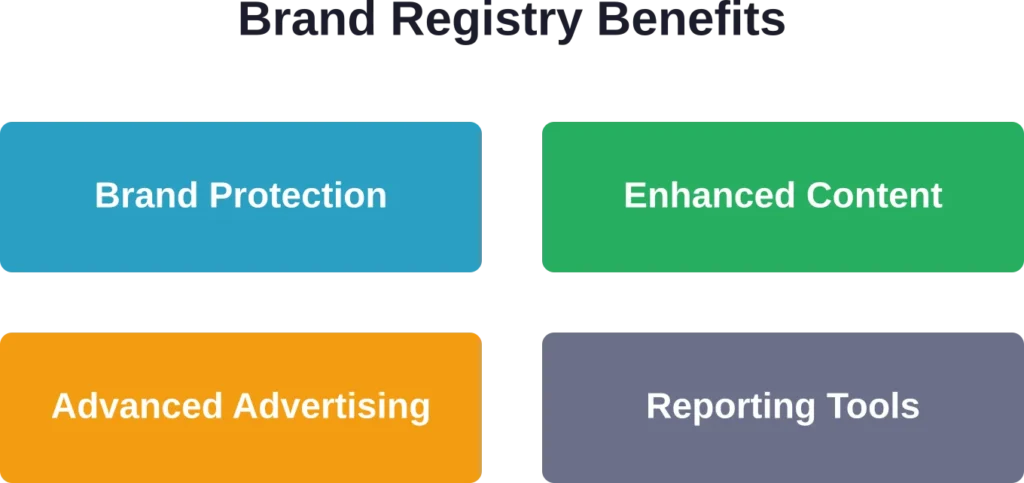
Proactive brand protection scans the marketplace for potential violations. When someone tries to hijack your listings or sell counterfeit versions of your products, you can report them through accelerated channels.
Enhanced content capabilities become available. A+ Content, Brand Stores, and Sponsored Brands video ads all require Brand Registry enrollment. These aren’t optional if you want to compete seriously.
Search and report tools help you find unauthorized sellers faster. The automated protections work in the background, but you can also manually search for violations and submit takedown requests.
Brand Analytics and Insights
Brand Registry members get access to Amazon Brand Analytics. This data goldmine shows search terms customers use, top-clicking ASINs, conversion rates, and demographic information.
The Search Query Performance report reveals exactly which keywords drive traffic to your listings. You can see impression share, click share, and conversion rates for thousands of search terms.
Market basket analysis shows what other products customers buy alongside yours. This intelligence helps with bundling strategies and cross-promotion opportunities.
FBA Inventory Management Tools

If you use Fulfillment by Amazon, the inventory management tools become absolutely critical. Poor inventory planning costs money in storage fees and lost sales.
The FBA Dashboard provides real-time visibility into stock levels across Amazon’s fulfillment network. You can track inbound shipments, current inventory, and reserved units all in one place.
Inventory Performance Index
Amazon grades your inventory management with the Inventory Performance Index score. This number determines your storage limits and can impact your ability to scale during peak seasons.
The score considers sell-through rates, excess inventory, stranded inventory, and in-stock rates. Amazon recommends maintaining strong performance metrics to avoid storage restrictions.
Recommendations appear when Amazon detects opportunities. The system suggests removal of slow-moving inventory, price reductions to improve sell-through, or replenishment for popular items running low.
Restock Inventory Tool
The Restock Inventory report takes the guesswork out of ordering. Amazon’s algorithms analyze your sales velocity, lead times, and seasonality to recommend optimal restock quantities.
You can adjust the recommendations based on your knowledge of upcoming promotions or external factors. But the baseline calculations save hours of manual forecasting.
Automated replenishment is available for some sellers. Set your parameters and Amazon orders inventory automatically when levels drop below your thresholds.
A+ Content Manager: Enhanced Product Descriptions

A+ Content lets you replace the basic text description with rich media modules. Images, comparison charts, enhanced text blocks, and lifestyle photos make your listings more persuasive.
Studies consistently show A+ Content improves conversion rates. The visual storytelling helps customers understand products better and builds confidence in premium pricing.
Creating Effective A+ Content
The content manager provides pre-built templates. Choose modules that match your product type and brand aesthetic. Mix product features with lifestyle imagery and comparison charts.
Image requirements are strict. High resolution, proper dimensions, and no prohibited elements like promotional language or warranty claims. Follow the guidelines or your submission gets rejected.
Testing different layouts can improve results. Try feature-focused content versus lifestyle-focused content and monitor the conversion data. The system tracks performance metrics for each version.
| A+ Content Module | Best Used For | Image Requirements |
|---|---|---|
| Standard Image Header | Brand storytelling | 970×300 pixels minimum |
| Four Image with Text | Feature highlighting | Four 300×300 pixel images |
| Comparison Chart | Product variations | Up to six products, 300×300 each |
| Standard Single Image | Detailed product shots | 600×400 pixels minimum |
Premium A+ Content
Vendors and sellers in certain categories can access Premium A+ Content. This unlocks interactive modules like carousel images, hotspots, and video integration.
The enhanced modules create magazine-quality product pages. But they require more design work and have stricter approval criteria. Only use them when the product justifies the investment.
Amazon Advertising Platform

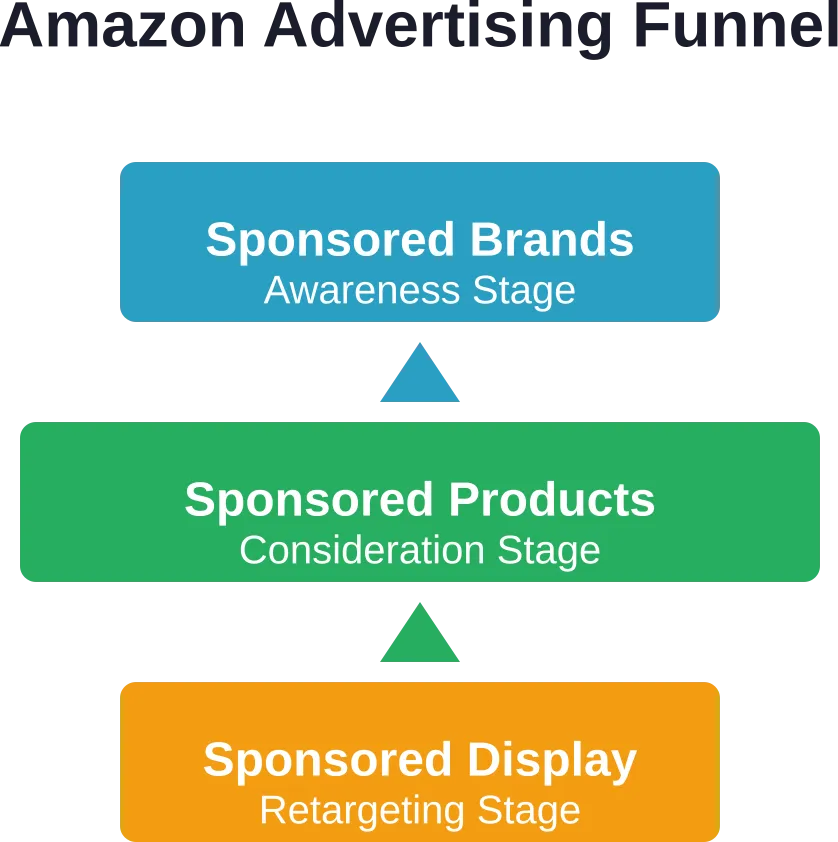
Amazon’s advertising tools live inside Seller Central and give you direct access to the same platform big brands use. Sponsored Products, Sponsored Brands, and Sponsored Display ads all run through the native interface.
The platform handles billions in ad spend annually. The targeting capabilities have grown sophisticated enough to compete with Google and Facebook in many ways.
Sponsored Products Campaigns
These are the ads that appear in search results and on product pages. They look like regular listings but carry a “Sponsored” label.
Automatic targeting lets Amazon choose keywords based on your product. Manual targeting gives you control over specific keywords and bids. Most sellers use both approaches.
The campaign manager shows impressions, clicks, spend, sales, and ACoS for every keyword. You can adjust bids in real-time and pause underperforming terms immediately.
Sponsored Brands and Display
Sponsored Brands appear at the top of search results with your logo, custom headline, and multiple products. These work best for brand awareness and launching new products.
Sponsored Display ads follow shoppers off Amazon. They appear on third-party websites and apps, keeping your products in front of interested buyers who haven’t purchased yet.
Both formats require Brand Registry enrollment. The targeting options include keywords, product targeting, and audience segments based on shopping behavior.
Business Reports and Analytics
The Business Reports section provides deep analytics on sales performance, traffic, and customer behavior. These reports form the foundation for strategic decisions.
Sales dashboards break down revenue by day, week, month, and custom date ranges. You can filter by SKU, parent product, or entire categories to spot trends.
Detail Page Sales and Traffic
This report shows exactly how your listings perform. Sessions, session percentage, page views, buy box percentage, units ordered, and conversion rate all appear in one view.
The data reveals which products attract traffic but don’t convert. Low conversion rates signal pricing issues, poor reviews, or weak content. High traffic with low sales means you’re close to winning — something just needs fixing.
Compare performance across products to identify your stars and your duds. Double down on what works and fix or eliminate what doesn’t.
Customer Metrics
Geographic data shows where your customers live. This intelligence guides inventory placement, shipping strategies, and regional marketing efforts.
Device metrics reveal whether shoppers find you on mobile or desktop. Mobile continues growing as a percentage of total traffic, making mobile-optimized images and descriptions critical.
Returns and Feedback Management
Managing returns efficiently prevents negative feedback and account health issues. The returns management tools help you process requests quickly and identify problem products.
When customers request returns, you can approve or deny based on your return policy and Amazon’s guidelines. Approved returns generate prepaid labels automatically.
Feedback Manager
Seller feedback directly impacts your reputation and buy box eligibility. The Feedback Manager shows all recent reviews and lets you request removal of inappropriate feedback.
Amazon removes feedback that contains profanity, personal information, or product reviews misplaced as seller feedback. You can’t remove negative feedback just because you disagree — but policy violations qualify for removal.
Responding to feedback shows you care about customer satisfaction. Public responses demonstrate professionalism to future buyers reading your seller profile.
Case Log and Seller Support
When problems arise that you can’t solve yourself, the Case Log system connects you with Amazon support teams. Account health issues, listing problems, and policy questions all get routed through here.
Response times vary depending on issue urgency and your seller plan. Professional sellers generally get faster response than Individual plan sellers.
Documentation matters when opening cases. Screenshots, invoice copies, and specific ASIN information help support agents resolve issues faster. Vague complaints get vague answers.
Amazon Currency Converter
For sellers operating across multiple Amazon marketplaces, the Amazon Currency Converter simplifies international payments. Instead of maintaining bank accounts in multiple countries, Amazon handles the conversion.
Disbursements can flow to a single bank account in your home currency. Amazon converts the funds automatically, saving the hassle of foreign bank accounts and wire transfers.
The exchange rates aren’t always the absolute best available. But the convenience and time savings often outweigh the slight rate difference for small to medium sellers.
Vine Program for Reviews

Amazon Vine connects sellers with trusted reviewers who provide early feedback on new products. Enrolled products are offered to Vine Voices — customers with strong review histories.
You provide free units in exchange for honest reviews. The reviews appear with a Vine badge, and they carry significant credibility with shoppers.
There’s a fee per enrolled unit, and you have no control over whether reviews are positive or negative. But getting those first critical reviews on a new ASIN can jumpstart sales velocity.
Enrollment Requirements
Products must have fewer than 30 reviews and be available for purchase. Brand Registry enrollment is required to access Vine.
Each parent ASIN can be enrolled with Vine. Choose your timing carefully — launching Vine too early means reviews appear before you’ve optimized the listing.
Manage Your Experiments
The Manage Your Experiments tool lets you A/B test product images and titles. Amazon splits traffic between two versions and measures which performs better.
Tests run for a set duration or until statistical significance is reached. The winning variation can be applied automatically or you can review results first.
This takes the guesswork out of optimization. Instead of assuming a new main image will work better, you can prove it with data before committing.
| Element | Can Test | Test Duration | Minimum Traffic |
|---|---|---|---|
| Main Image | Yes | 4-10 weeks | Moderate |
| Product Title | Yes | 4-10 weeks | Moderate |
| A+ Content | Coming soon | TBD | TBD |
| Bullet Points | No | N/A | N/A |
Early Reviewer Program Sunset
Worth noting — the Early Reviewer Program was discontinued. Sellers sometimes ask about it, but Vine has replaced it as Amazon’s official review-generation tool.
Third-party review services violate Amazon’s Terms of Service. Stick to Vine and organic review requests through the Request a Review button.
Regional Automate Pricing
Business sellers using Amazon Business can access Regional Automate Pricing tools for managing quantity discounts and business-specific pricing rules.
The tool helps manage SKUs across different customer segments. Business customers often buy in larger quantities and expect volume discounts that retail shoppers don’t see.
Setting up business pricing rules takes initial effort but can unlock a substantial revenue stream from B2B buyers who prefer Amazon’s procurement experience.
Revenue Calculator
Before launching a product, the Revenue Calculator helps estimate profitability. Input your costs, proposed price, and fulfillment method to see projected margins.
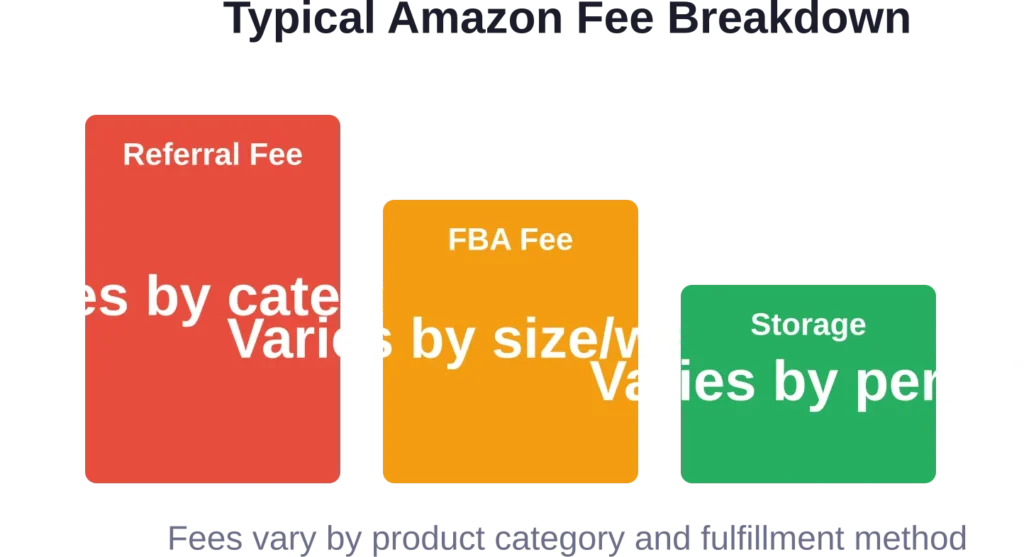
The tool accounts for referral fees, FBA fees, storage costs, and other Amazon charges. The calculations use real fee structures so you know exactly what lands in your pocket.
Compare FBA versus FBM economics side-by-side. Sometimes the convenience of FBA isn’t worth the fees, especially for large or slow-moving items.
When Third-Party Tools Make Sense
Amazon’s internal tools handle most core functions brilliantly. But they do have limitations.
Real talk: Seller Central’s reporting doesn’t connect easily to other business systems. Exporting data for deeper analysis or financial modeling requires manual work.
That said, master the native tools first. Understand what Amazon provides before paying for third-party solutions that duplicate functionality you already have.
The sellers who succeed long-term know their tools inside and out. They extract maximum value from free resources before adding premium software to their stack.
Frequently Asked Questions
Amazon includes Seller Central, Business Reports, Advertising Platform, FBA Inventory tools, A+ Content Manager, Brand Registry, Feedback Manager, and Revenue Calculator with every seller account at no additional cost beyond standard selling plan fees.
Most basic tools work without Brand Registry, but advanced features like A+ Content, Brand Analytics, Sponsored Brands ads, Amazon Vine, and enhanced brand protection require enrollment. Brand Registry needs an active registered trademark to qualify.
The native advertising console provides complete campaign management, keyword targeting, and performance reporting. Third-party tools add automation, cross-platform analytics, and advanced optimization but aren’t necessary for running successful campaigns. Many sellers operate profitably using only Amazon’s built-in advertising interface.
Seller Central handles inventory management separately for each marketplace. You’ll need to log into each region’s Seller Central to manage stock levels, though some reports can aggregate data. The Amazon Currency Converter simplifies payments across marketplaces without needing multiple bank accounts.
Standard A+ Content offers basic modules with images and text to enhance product descriptions. Premium A+ Content provides interactive features like carousels, video integration, and hotspots for a more immersive experience. Premium access is limited to vendors and select seller categories.
Review your IPI score weekly, especially during peak seasons. The score updates regularly based on sell-through rates, excess inventory, and stock-outs. Poor scores trigger storage limits that can cripple your business during high-demand periods.
Business Reports and Brand Analytics provide robust data on sales, traffic, search terms, and customer behavior that support most strategic decisions. The main limitation is exporting data for integration with external systems. Sellers doing over seven figures monthly often supplement with specialized analytics platforms, but Amazon’s native reporting handles the fundamentals well.
Making the Most of Your Amazon Toolkit
Amazon keeps adding features to Seller Central. New tools appear. Old ones get upgraded. The platform evolves constantly.
Check the What’s New section regularly. Amazon announces product launches, policy changes, and feature releases there before they hit mainstream seller forums.
The sellers who win are the ones who master the fundamentals. Fancy third-party software won’t save a poorly managed account. But rock-solid execution using Amazon’s built-in tools can build a multi-million dollar business.
Start with what Amazon gives you. Learn it thoroughly. Then expand your toolkit strategically when you’ve genuinely outgrown the native capabilities.
Ready to level up your Amazon operations? Dive into Seller Central today and explore the tools you’ve been overlooking. Your next optimization breakthrough might already be waiting in a dashboard you haven’t opened yet.